Document defaults
This page sets a default width and gap in its YAML header:
wrapped:
  width: 30%
  gap: 1.5em
Its figures set no width or wrap-gap of their own:
{#fig-ratings .wrap-right}Result
The wrapped key in this page’s YAML header sets a default width and gap for every wrapped figure on the page. This paragraph comes before the figure, so it runs the full width of the text.
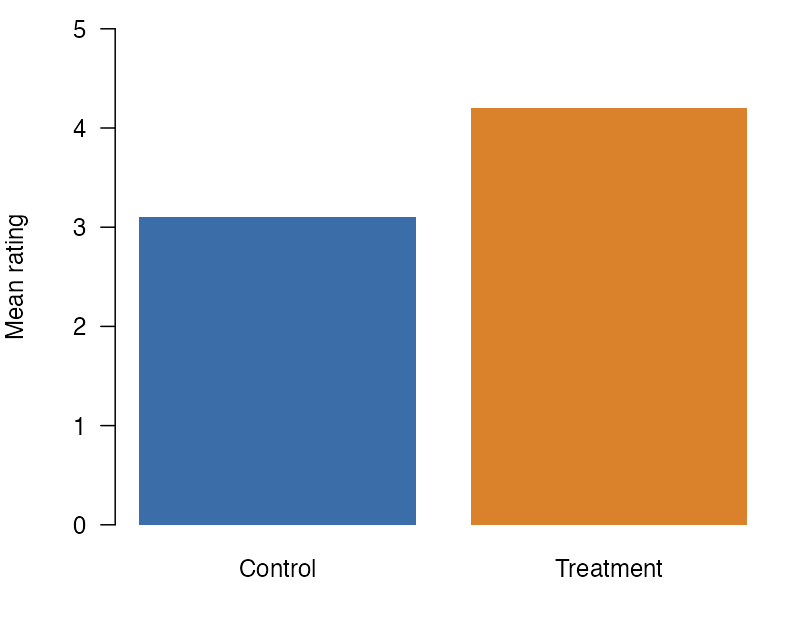
Figure 1 takes the page’s default width of 30% and its gap of 1.5em. Without the wrapped key, it would take the built-in 40% and 1em.
The defaults save you from repeating the same values on every figure. A figure’s own width or wrap-gap attribute still comes first: a figure that sets its own width keeps that width, and the page’s gap still applies to it. The gap is the space between the figure and the text beside it, so this text sits a little farther from the figure than it would with the built-in 1em. Both keys sit under wrapped in the YAML header, as the code at the top of this page shows. In HTML, the wrapped key also takes a breakpoint. In a window that wide or narrower, figures stop floating. In a wider window, and in each of the other formats, the text flows beside the figure until it passes the figure’s bottom, and the last lines of this paragraph run under the figure, at the full width of the text.
Next
A heading is not a paragraph, so wrapping stops before it.