Width and gap
Width
The width attribute sets the width of the figure box, caption included. The image fills the box. A percent is a share of the text column. An absolute length, such as 3in or 250px, sets the width directly. The default width is 40%. A width of zero written as a number, such as 0%, 0in, or 0, prints a warning, and the document default applies.
Gap
The wrap-gap attribute sets the space between the figure and the text. The default gap is 1em. A gap of zero stays as it is. In Word, a gap of 0% prints a warning. A width plus its gap as wide as the text or wider also prints a warning in Word (see Word).
{#fig-ratings .wrap-left width="3in" wrap-gap="2em"}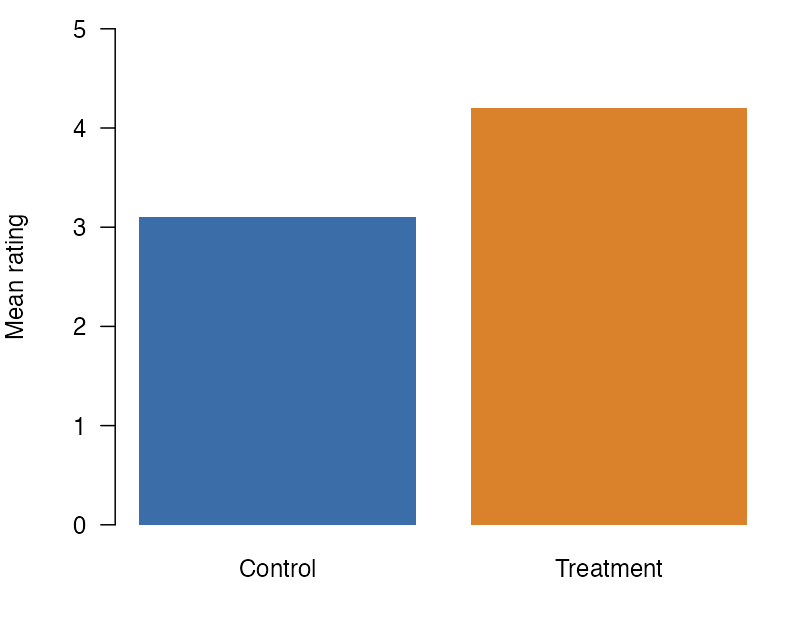
This figure is 3 inches wide, and a gap of 2em separates it from this text, twice the default gap.
HTML uses the width and the gap as written. PDF through LaTeX, PDF through Typst, and Word convert them to their own units, as the pages for LaTeX, Typst, and Word state.
A fig-align attribute does not move the box. The class sets the side.
Each format reads width and wrap-gap in its own way. HTML takes CSS lengths and the CSS functions below. PDF through LaTeX, PDF through Typst, and Word each convert a fixed set of units.
CSS functions in HTML
In HTML, a width or gap can also be a calc(), min(), max(), or clamp() value, such as calc(100% - 2em) or min(40%, 300px). The extension checks the value first. A value that fails the check prints a warning, and the document default applies. The check accepts numbers, lengths in CSS units, percents, parentheses, var(--name), and the four functions inside one another, with these rules:
- A
+or-between two values has a space on each side. - The values of a sum are all lengths and percents, or all numbers.
- A
*has a number on one side, and a/has a number on its right. min()andmax()take one or more values, andclamp()takes three.- The result is a length or a percent, not a number.
Some CSS that browsers accept also prints a warning:
- other functions, such as
round()andenv() - constants, such as
pi noneinclamp()- a length divided by a length
- a number with an exponent, such as
1e2px - an empty
var()fallback, such asvar(--a,)
Widths that are never above zero
The check also looks for a function width that is zero, negative, or not finite at every page and font size. A width that it can show is such a width prints a warning, and the document default applies. Examples are calc(0%), min(0px, 10%), calc(-10px), and calc(1px / 0). The check reads each unit other than an absolute unit as above zero and as not related to the other units. So a width such as calc(50% - 4in) or calc(1em - 1rem), which can be above zero, prints no warning. A width with var() never prints this warning. A gap or a breakpoint of zero stays as it is.
Gaps below zero
The check also looks for a function gap that is negative or not finite at every page and font size. A negative gap pulls the text over the figure. A gap that the check can show is such a gap prints a warning, and the document default applies. Examples are calc(-1em), min(-1px, 10%), and calc(1px / 0). A gap that is zero at every size, such as calc(1em - 1em), stays as it is. A gap that can be zero or above, such as calc(1em - 20px), prints no warning. The check cannot show that a max() or clamp() over two units is below zero. So such a gap, as max(-2px, -1%) or clamp(-3px, -2%, -1px), also prints no warning. LaTeX, Typst, and Word take no function gap, so such a gap prints a warning there in any case. For a gap that the check shows is below zero, that warning says so.
Values that are not lengths
In HTML, LaTeX, Typst, and Word, a width or wrap-gap value that is not a length or a percent prints a warning, and the document default applies.